A Community Forum Built Around Your Product
Give customers a clear place to ask questions, exchange ideas, and discuss your product in organized categories—while your team keeps every conversation useful and connected to product work.
Product conversations often begin in email, support tickets, chat, or social media. Those channels are useful for quick contact, but valuable answers and recurring ideas can be difficult for the rest of the community to discover.
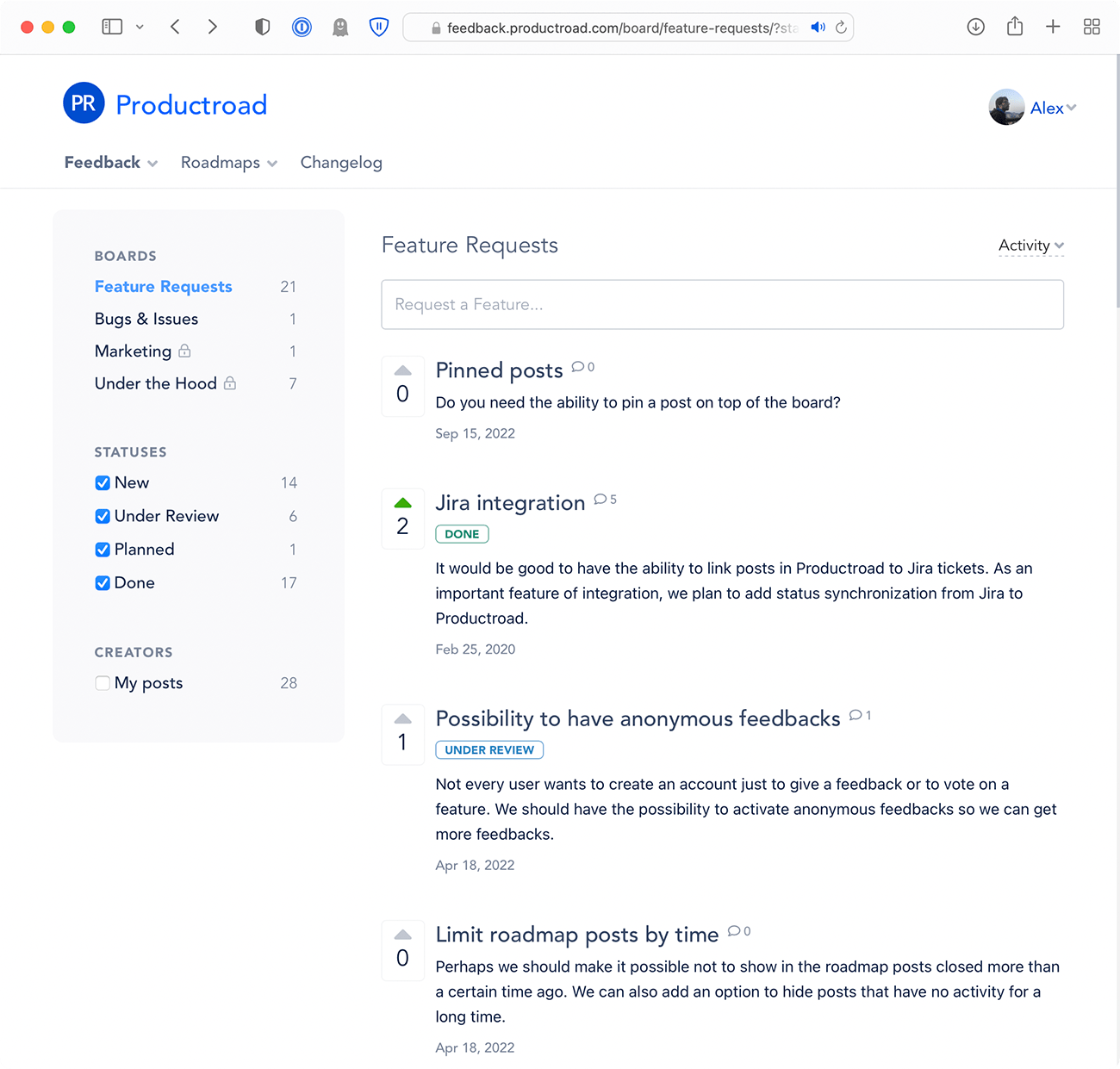
A Productroad community forum brings those conversations into one searchable, branded space. Users create topics, reply to discussions, vote on ideas, and follow the posts they care about. Your team can organize activity by category, moderate duplicate topics, and show what happens next.
What is a community forum?
A community forum is an online space where people create topics, ask questions, exchange ideas, and reply to one another in organized discussion categories. Unlike a fast-moving group chat, forum conversations remain available for people to find and continue later.
For a product community, a forum also creates a direct connection between users and the team building the product. Customers can explain the problem behind an idea, compare possible solutions, and see whether a request is being considered, planned, or completed.
Organize product discussions by category
Create a board for each kind of conversation
Productroad boards work as forum categories. Create separate spaces for questions, feature ideas, integrations, bugs, beta feedback, or different products. You can customize the board name, posting prompts, button label, and color to make the purpose of each category clear.
Choose how topics are sorted
Set a default view for the most voted, most recently active, or newest topics. Members can switch between these views when they want to find popular discussions, active conversations, or recent posts.
Give each audience the right access
Make a category public, require SSO authentication, keep it private for the team, or limit it to selected user segments. Read-only boards let customers vote while only team members create posts and comments.
Make every topic a useful conversation
Rich posts, comments, and replies
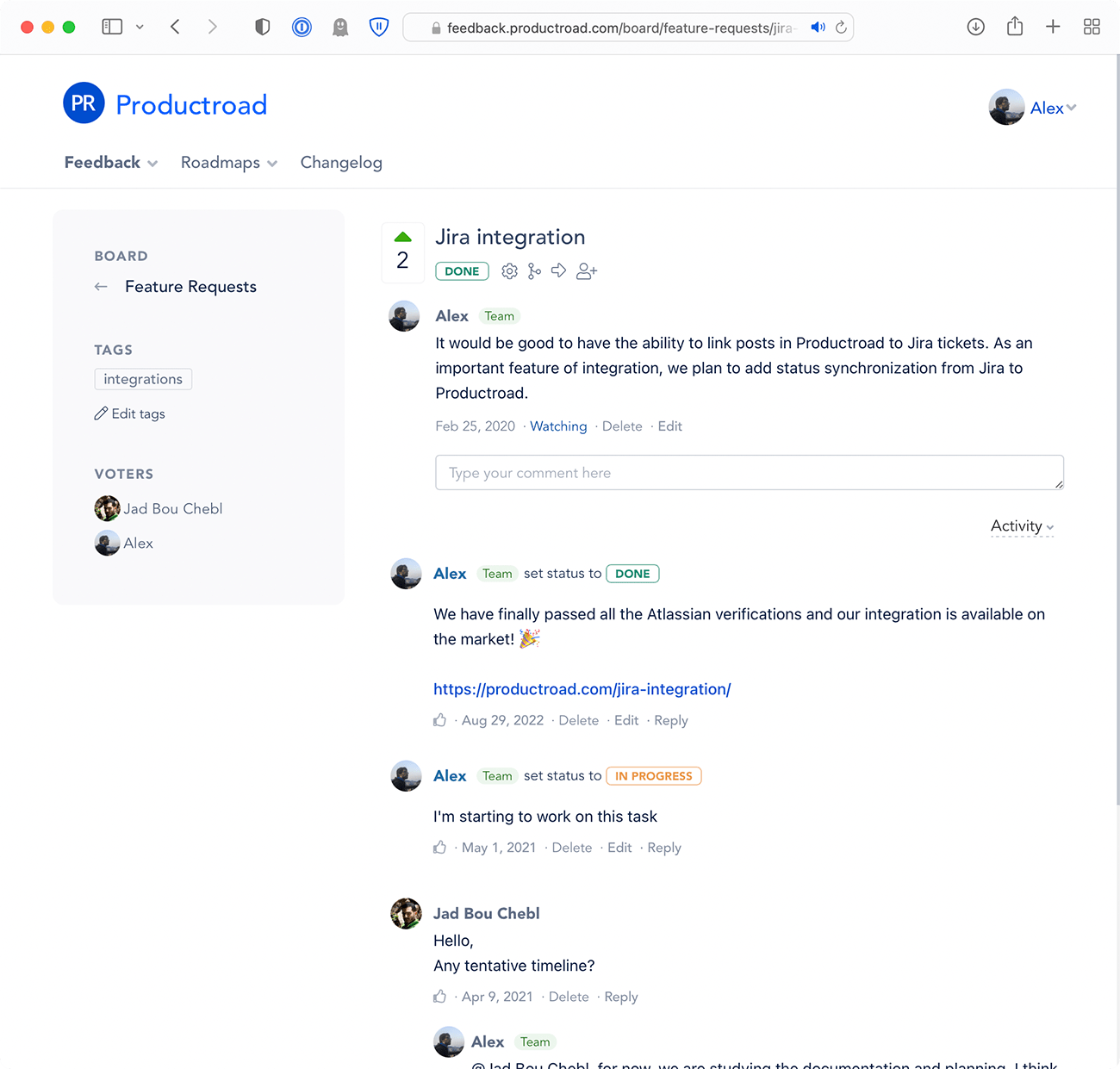
Members can format posts and comments with Markdown, upload images, embed video links, and reply directly within a discussion. Team badges help users recognize an official response, while likes surface comments the community finds useful.
Voting with customer context
Users can vote on a topic with one click. Your team can review who voted, while public voter names can be shown or anonymized according to the board settings. Votes reveal interest; comments explain the need behind it.
Topic subscriptions and email updates
Members can watch a discussion and receive email notifications. When the team changes a topic's status, it can notify interested users instead of requiring them to return and check manually.
Keep a growing forum easy to navigate
Cross-board search
Duplicate suggestions
Merge and move
Custom statuses
Tags
Pinned comments
Internal comments
Close discussions
Team-created activity
Welcome users without losing control
Flexible identity and sign-in
Customers can use Google or GitHub sign-in, and teams can generate secure auto-login links for an SSO-style experience. User profiles keep each person's posts, replies, and votes connected to the same identity.
Public, verified, segmented, or closed
Mix access levels across boards to run an open product forum, a private customer advisory group, a beta community, and internal discussions in the same portal. Closed mode can restrict the entire community to team members.
Your brand, domain, and notification email
Add your logo, favicon, and brand colors, publish the forum on a custom domain with SSL, and use your confirmed address for outgoing notifications.
Turn forum conversations into product progress
A general forum is designed primarily for conversation. Productroad adds a workflow around that conversation: votes, custom statuses, assignees, estimated dates, product roadmaps, and changelog updates.
A promising discussion can become a visible roadmap item. When the work is finished, include the request in a release announcement and notify the people who followed it. Slack, Jira, Zapier, and the Productroad API help connect forum activity to the tools your team already uses.
If you need feedback, roadmaps, releases, and community management as one broader system, see the Online Community Platform solution.
Community forum FAQ
What is a community forum?
A community forum is an online space where people create topics, ask questions, exchange ideas, and reply to one another in organized discussion categories.
Can I organize forum discussions by category?
Yes. Productroad uses boards as discussion categories. Each board can have its own name, posting prompts, access rules, and default topic sorting.
Can a Productroad community forum be private?
Yes. Boards can be public, SSO-authenticated, private, read-only for customers, or limited to selected user segments. The entire portal can also run in closed mode.
How does Productroad prevent duplicate topics?
Productroad searches existing posts while a user enters a new topic. Team members can also merge overlapping posts or move a topic to a more appropriate board.
How do forum discussions connect to product development?
Teams can add custom statuses, collect votes, publish selected topics on a roadmap, notify followers about progress, and include completed requests in changelog updates.
Ready to create a useful home for product conversations? Explore the feedback board features, compare plans and pricing, or start with the free plan.
Productroad helps you collect user feedback, prioritize it, make a roadmap of a project and inform customers via changelog about new cool features.